How to Use Your Pocket Pals Digital Map

Sign In · Download · Navigate Offline
1

Open Your MapViewer Email

Open the email titled “Your Pocket Pals Digital Map Order is Ready” and tap the blue View My Pocket Pals Maps button. Keep this email — it also has the passcode you will need to sign in on another phone or computer.

2

Open the Install Maps Screen

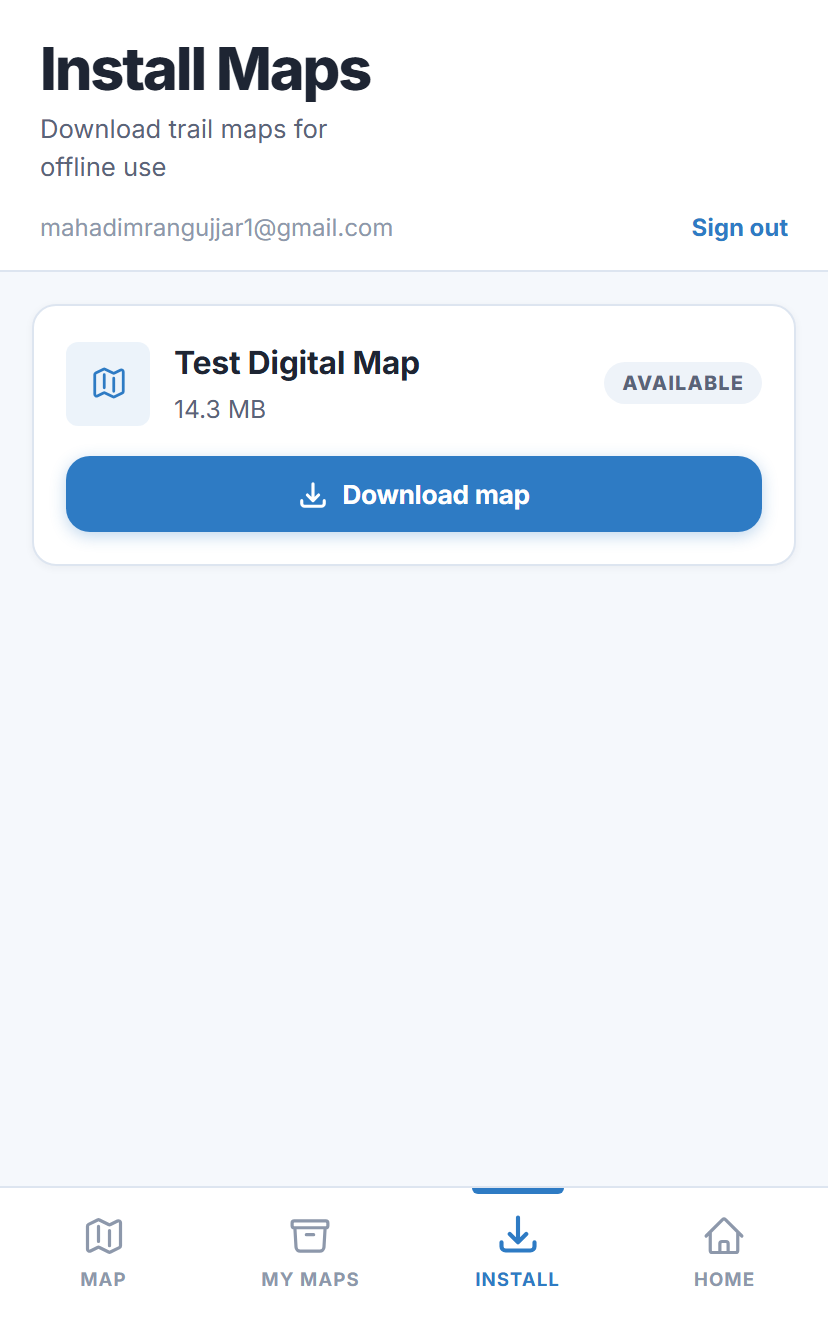
The button signs you in and opens the Install Maps screen, with every map you have purchased ready to download. If you ever land on the sign-in screen instead, enter your purchase email and passcode — or tap Forgot your passcode? to have it sent again.

Install Maps screen showing a purchased map ready to download
3

Download Your Map

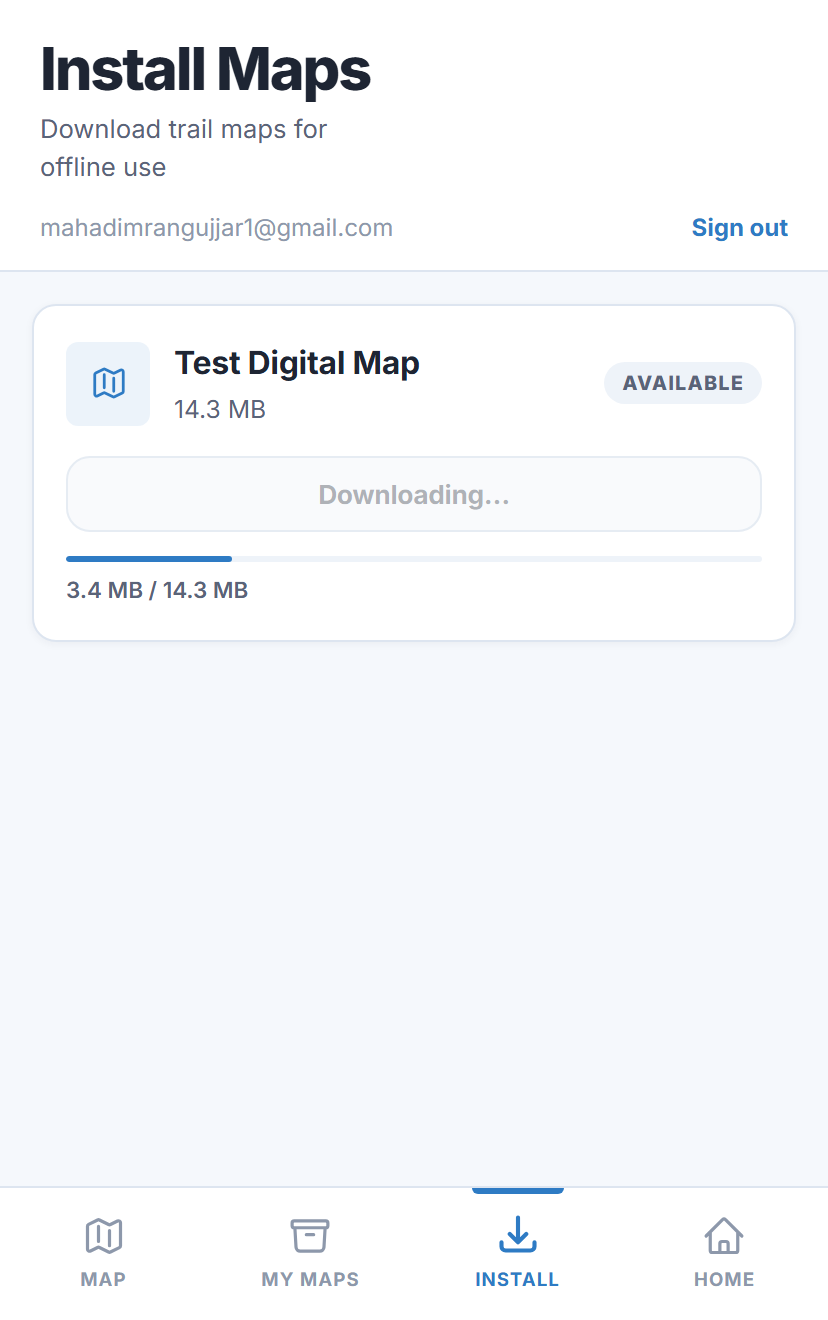
Tap Download map. Be sure to download it before arriving at the trail, especially if you may not have cell service.

Map downloading with progress bar
4

Find Your Downloaded Maps

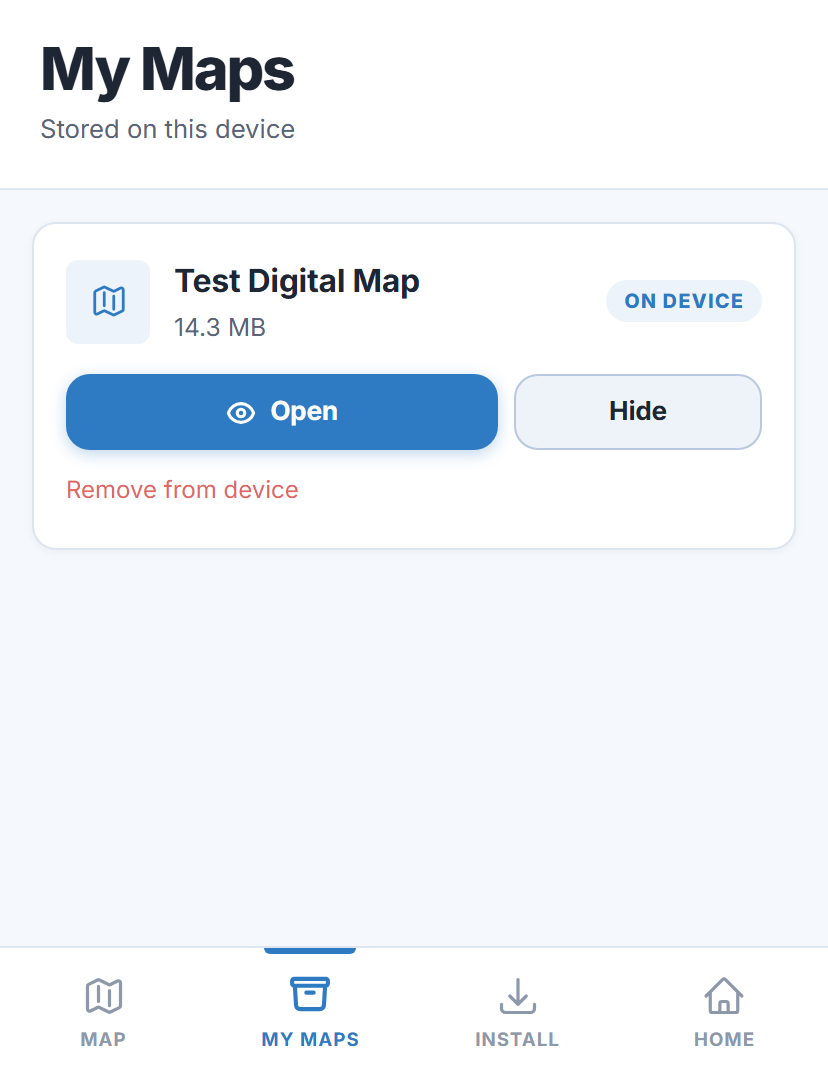
Downloaded maps appear under My Maps. Tap Open to view a map. Tap Hide if you want to remove it from view without deleting it.

My Maps screen with a downloaded map and Open/Hide buttons
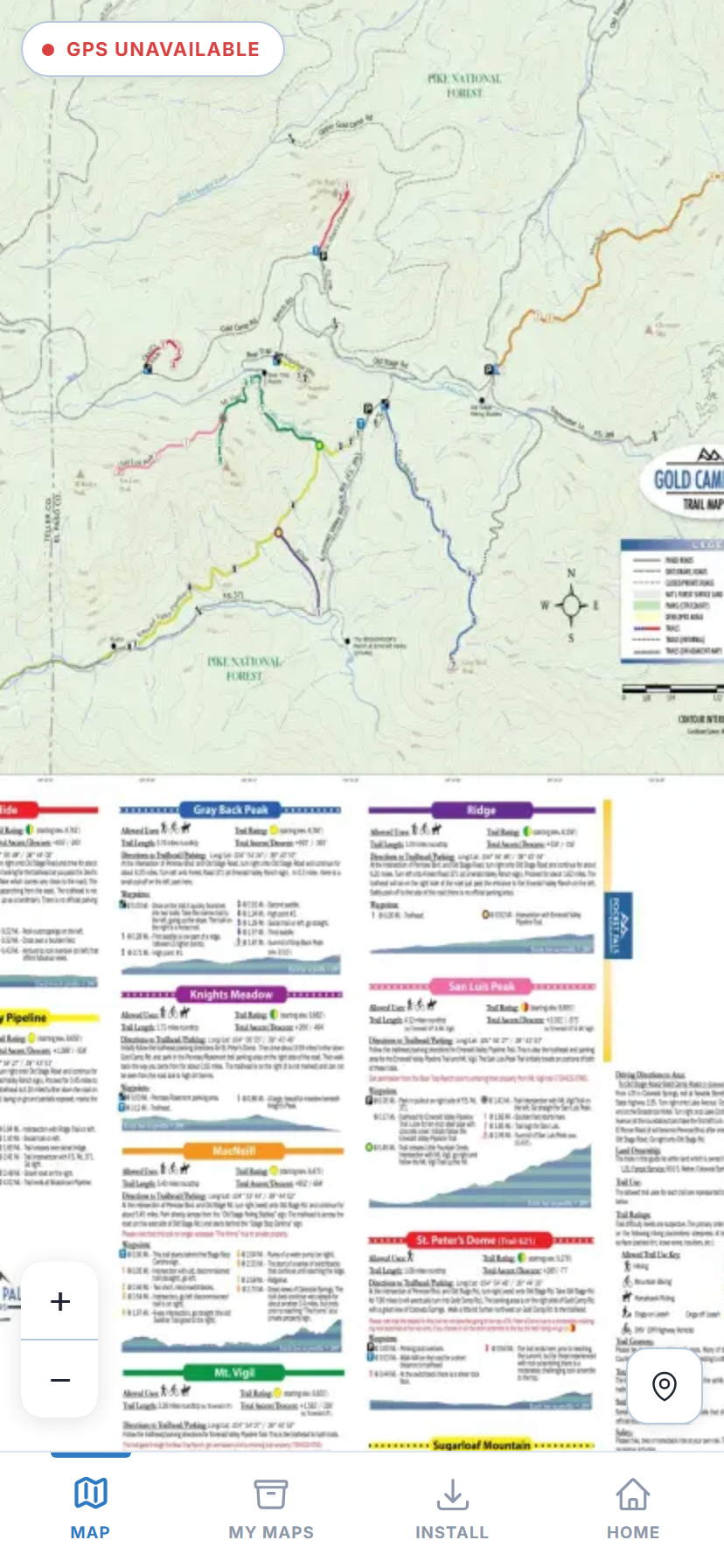
An opened trail map with live GPS location
5

Optional: Add Pocket Pals to Your Home Screen

Everything above works in your normal browser — adding Pocket Pals to your Home Screen is optional, and just gives you a quicker way in. Use your browser’s own “Add to Home Screen” option (you may see a prompt for this the first time you visit). Sign in once inside the installed app and your maps will be listed there too. One thing to know: iPhone keeps browser storage and app storage separate, so you will need to tap Download map again in the installed app.

Important Notes

  • Keep your phone’s GPS/location services turned on to see your current position on the map. If prompted, allow MapViewer to access your location.
  • Once downloaded, your map can be used offline out on the trails.
  • Your maps stay in your library for good. If you change phones, clear your browser data or run out of space, just sign in again with your email and passcode and download them again — you never have to buy a map twice.
  • Pocket Pals maps are a helpful navigation aid, but they should not be your only source of navigation. For remote trips, carry a paper map and/or compass.
  • Bring a portable charger in case your phone’s battery gets low.